Chrome extensions and your own keyboard shortcuts
Chrome extensions run in the workspaces you choose on Windows, a new Keyboard shortcuts page lets you change the keys for common actions, and MCP clients can work on several pages at once.
New
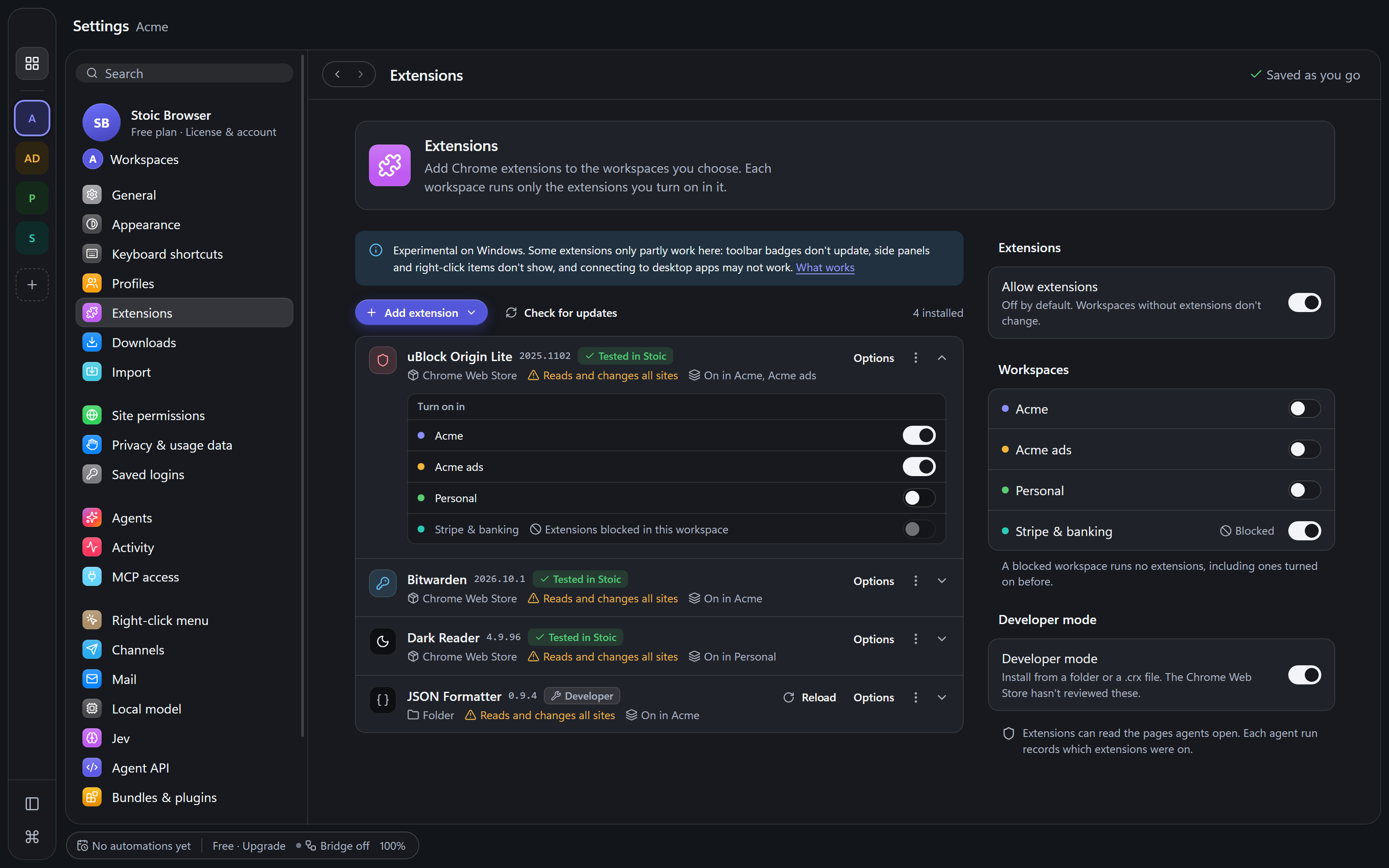
- Settings → Extensions adds Chrome extensions on Windows. "Allow extensions" is off until you turn it on, and each workspace runs only the extensions you switch on in it, so a workspace without extensions works as before. A "Block extensions" switch keeps a workspace free of them. On macOS, extensions will need macOS 15.4 or later and are not available yet.
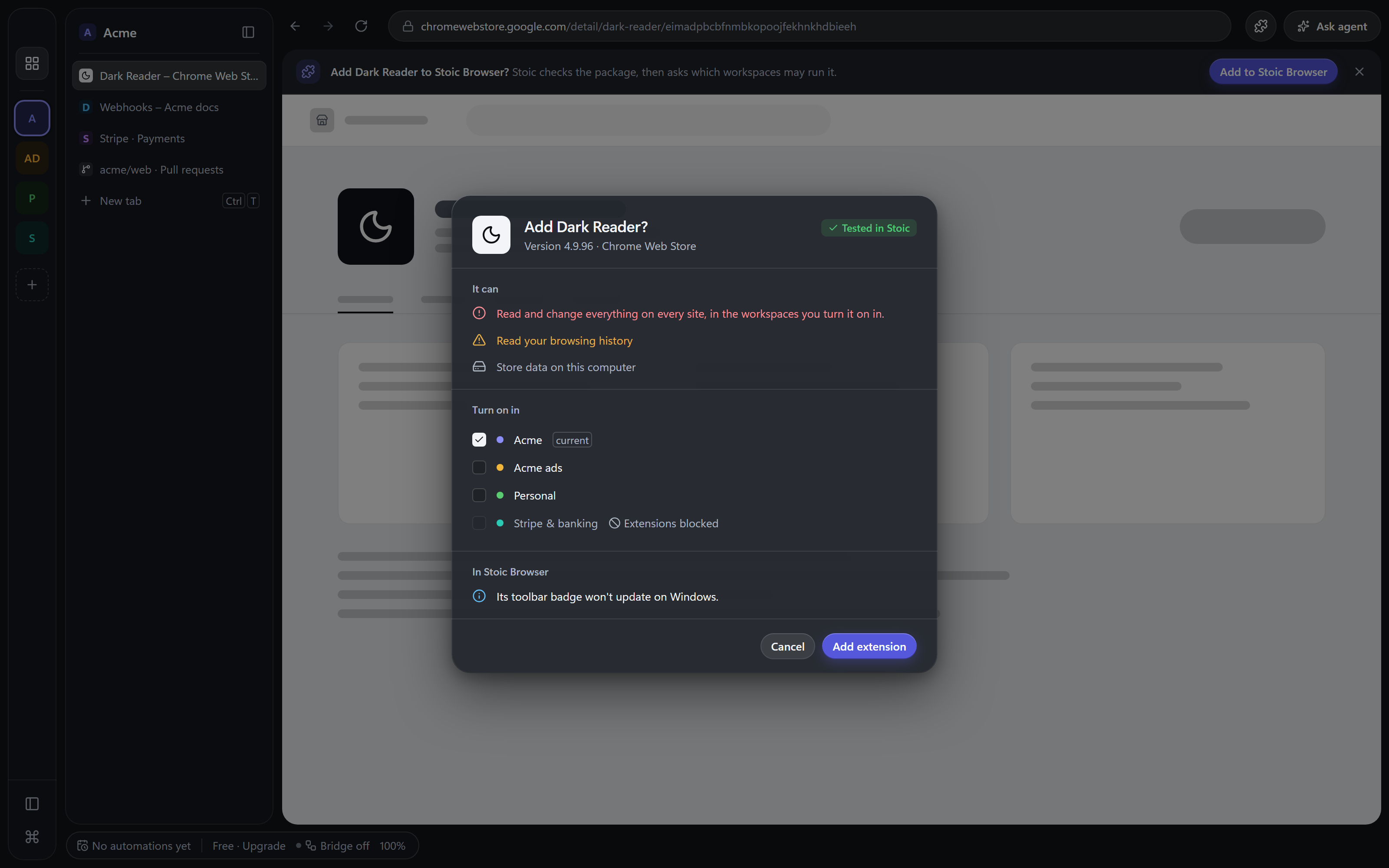
- Add an extension from a Chrome Web Store link in Settings, or with "Add to Stoic Browser" in the bar above a store page. Developer mode also adds one from a folder or a .crx file. Stoic Browser checks the package's signature, then shows what the extension can do and asks which workspaces may run it.
- The puzzle button in the toolbar lists the extensions on in the current workspace. Click one to open its popup, or pin it to give it its own button. Options pages open as tabs, and Settings → Extensions has Check for updates, Reload and Remove. "Tested in Stoic" marks uBlock Origin Lite, Dark Reader, JSON Formatter and Bitwarden. Badges, side panels, an extension's right-click items and its keyboard shortcuts don't show yet.
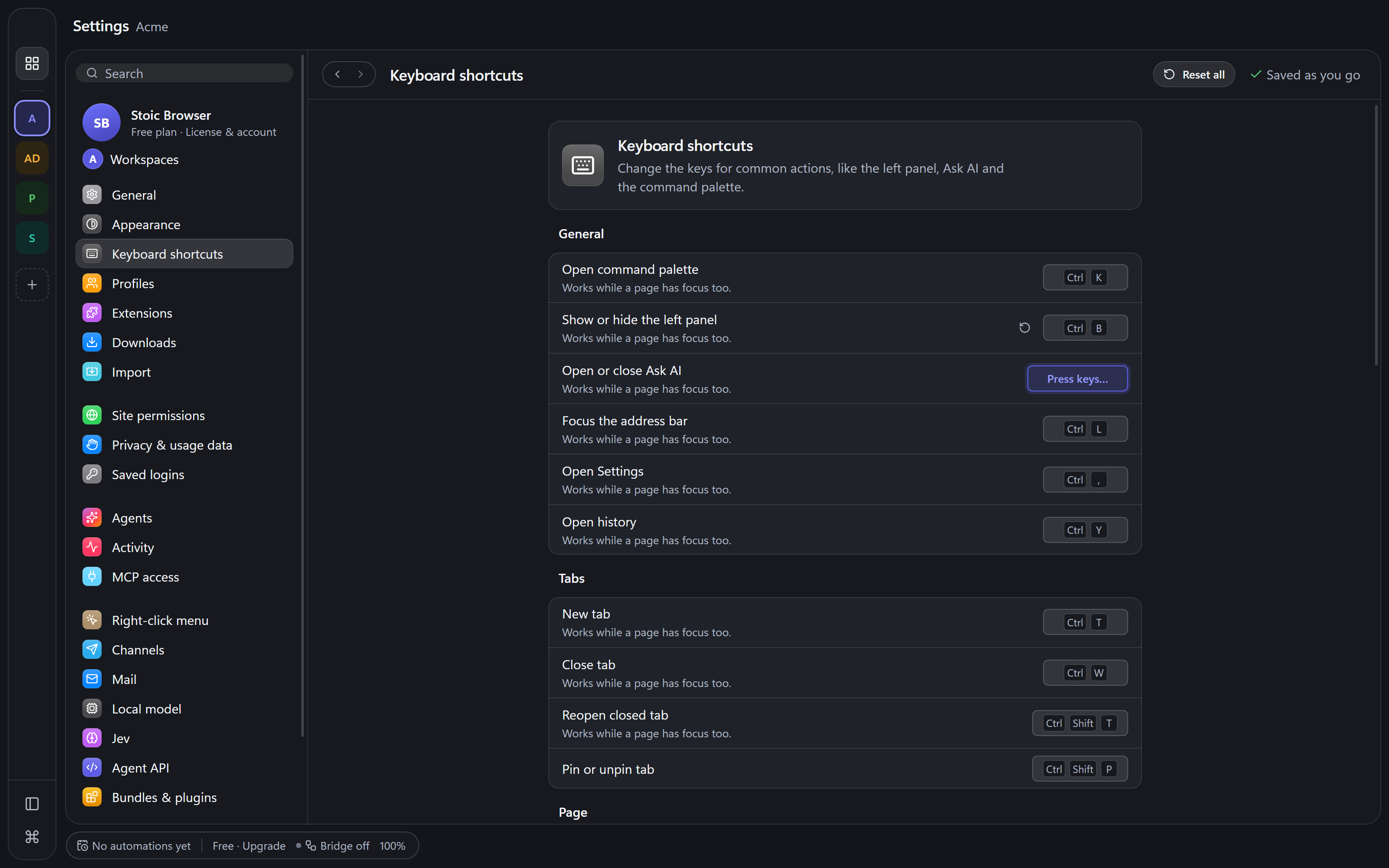
- Settings → Keyboard shortcuts lists the common actions with their keys, grouped into General, Tabs, Page, Split view, Agent chat and Tools. Click a shortcut and press new keys to change it; Backspace removes it, and Reset or Reset all bring back the defaults. If the keys belong to another action, they move over and the page says which action lost its shortcut.
- New shortcuts: Ctrl+Shift+B (⌘⇧B on macOS) shows or hides the left panel, and Ctrl+J (⌘J) opens or closes Ask AI now also while a web page has focus. Menus, tooltips and the command palette show the keys you set.
- MCP access: task_create opens an offscreen page of its own in a workspace, and a client can drive up to six of them at the same time by passing the taskId to any browser tool. task_list and task_close manage them, and an idle task closes after 10 minutes.
- MCP access: browser_run_steps runs a whole browser task in one call (go to a page, type, press keys, click, check the address, extract) and answers with one short result. Each step is checked against the connection's tools and allowed sites as if it had been sent on its own.
Improved
- MCP answers are much shorter: a failed call no longer returns the whole page, every browser tool takes snapshotMode ("none" for the address and title only, "delta" for just what changed) and a maxChars budget, and the new browser_trace_summary and browser_trace_export tools show what a connection's calls cost.
- MCP access never acts on a tab you are using: when you navigate a Visible-mode session's tab yourself, the agent's next call is refused instead of acting on your page, and the session continues in a new tab of its own.
- The chat's model picker now lists Hermes Agent's models from its own settings, and shows the model Hermes uses by default.
Fixed
- Fullscreen pane moved to F11. It used to share Ctrl+Shift+F with Search chats, so both ran at once while the chat was open.