Blog· 7 min read
Email for your agents, without your inbox
Stoic Browser 1.9.0 gives agents and automations their own email. Sign-ins that stop at "we emailed you a code" now finish by themselves, and nothing is sent without your approval.
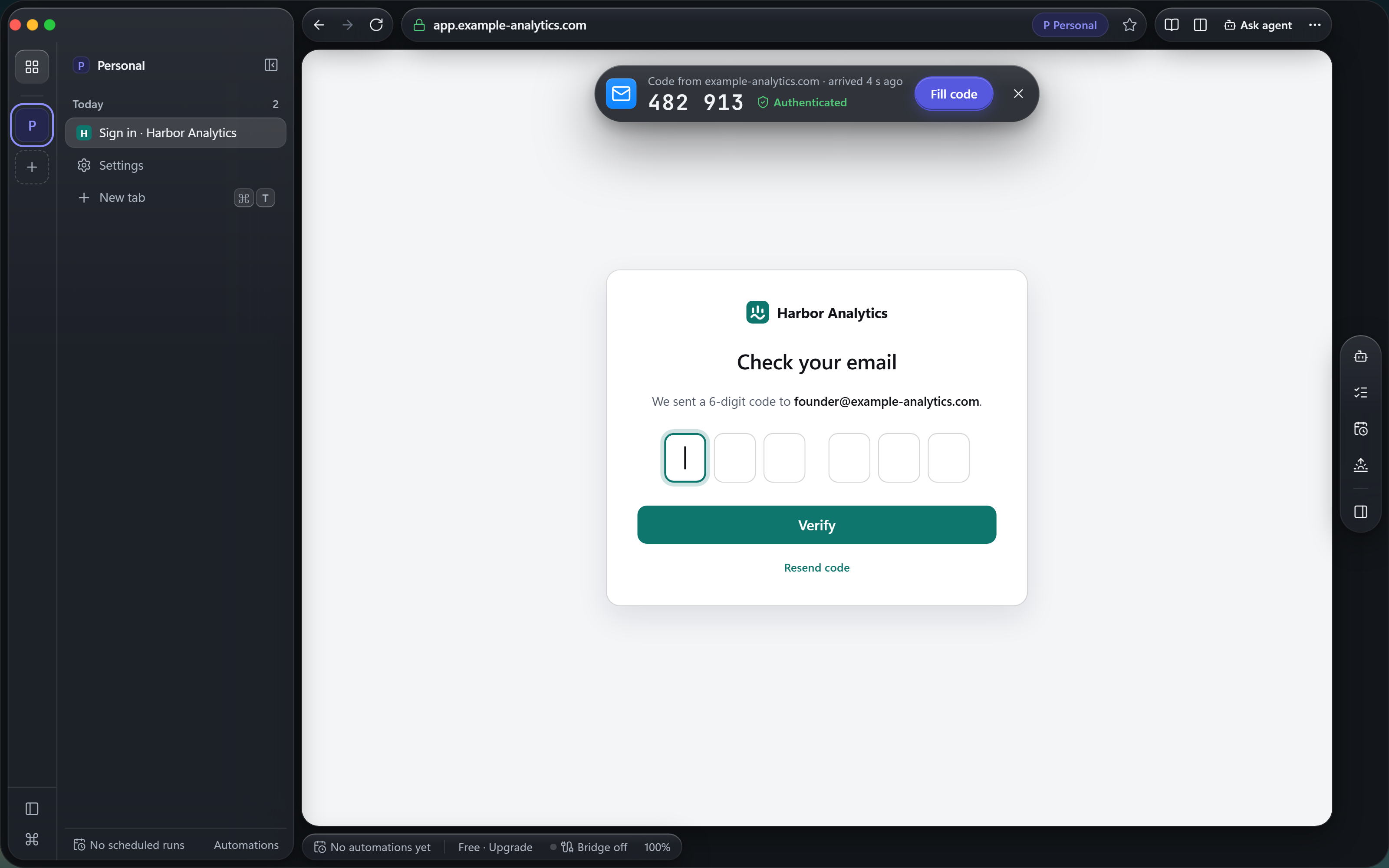
You set up an automation to check a dashboard every morning. It signs in, and the site answers: "We sent a 6-digit code to your email." The run stops there and hands the sign-in back to you. An agent you asked to list your product on a few directories gets one step further: it fills in the sign-up form, then waits for a confirmation link it has no way to open. The only way through was to give it your inbox, and an agent that can read your inbox can read everything in it.
So the work that needed email stayed with you: the codes, the links, the "please confirm your address" mails, and the replies that come back days later.
What changed
Stoic Browser 1.9.0 gives agents and automations their own email, without giving them your inbox. A run that reaches "we emailed you a code" now waits for that email, types the code or opens the link in the same page, and carries on. Agents get an address for every site they sign up on, mail can start work by itself, and anything an agent writes waits for your approval before it goes out.
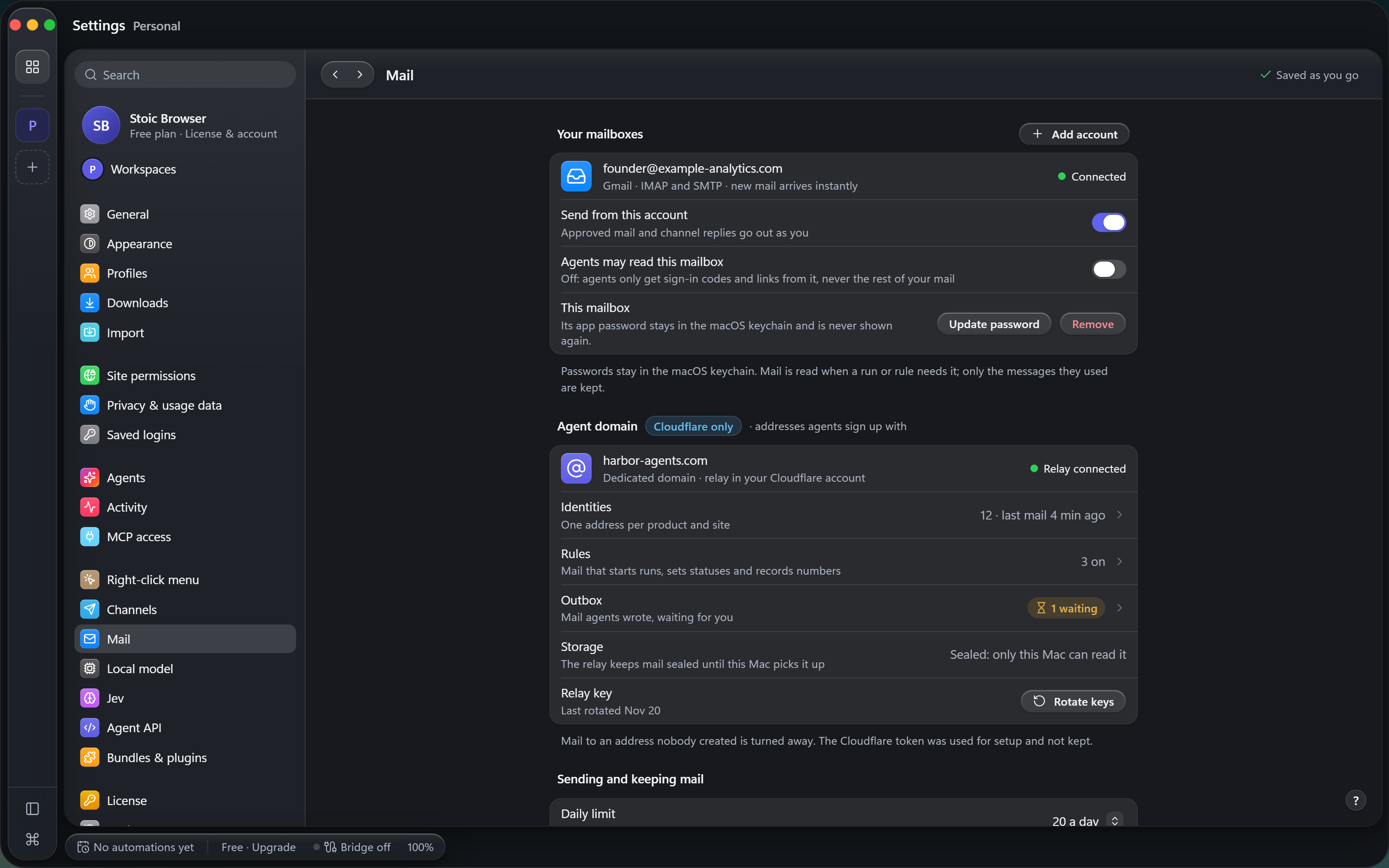
Everything is set up in Settings → Mail, in the Full interface. Nothing changes for you if you never open it.
How it works in practice
Connect a mailbox
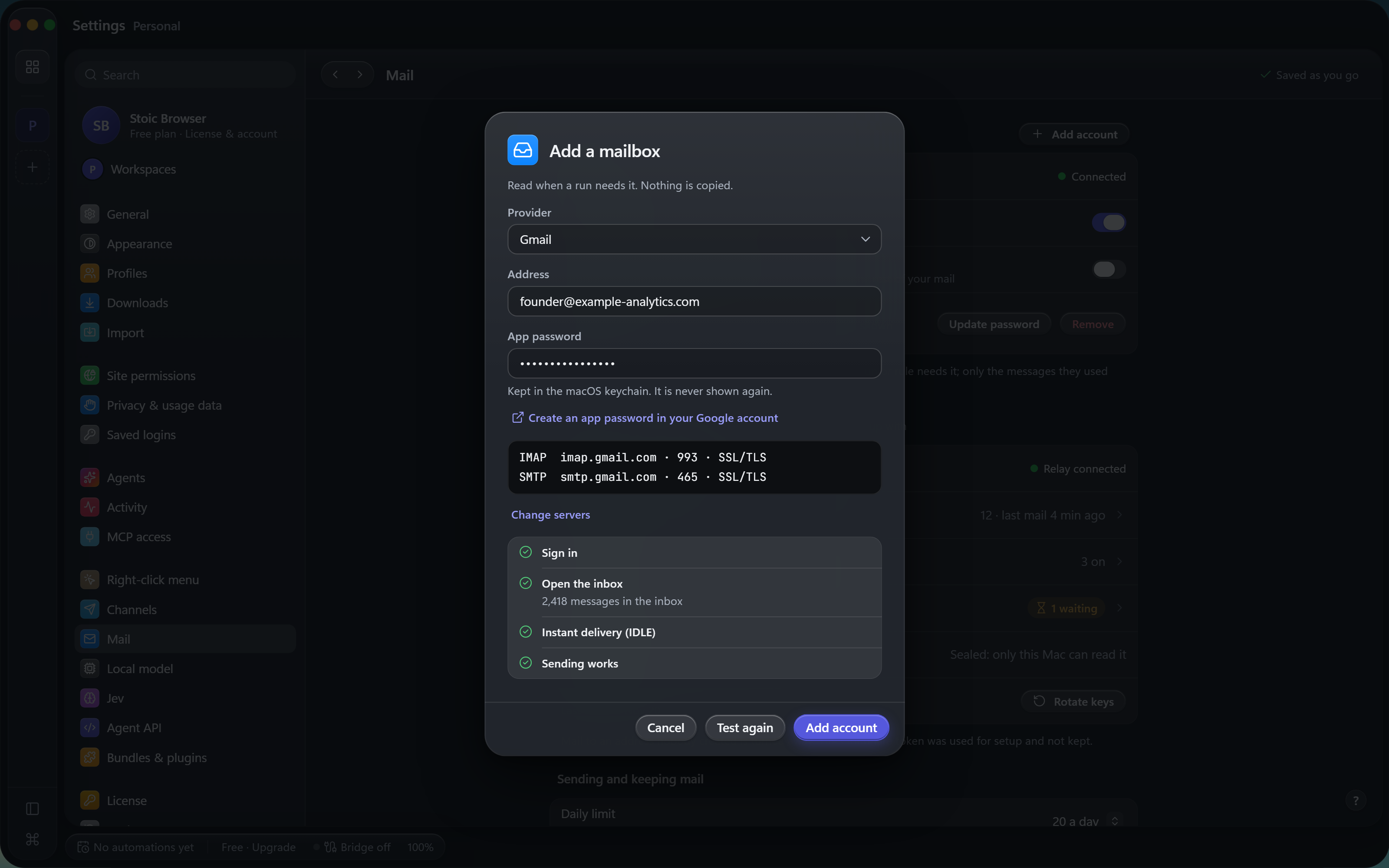
Click Add account, pick the provider (Gmail, Fastmail, iCloud Mail, Zoho Mail or Other (IMAP)), and paste an app password. For Gmail that means an app password from your Google account, not your Google password; the sheet links straight to the page where you make one. The password goes to the macOS keychain or Windows Credential Manager and is never shown again.
Test checks the mailbox without saving or sending anything: Sign in, Open the inbox, Instant delivery (IDLE) and Sending works. When the SMTP server turns the sign-in away, the sheet says so but still lets you add the mailbox, because reading codes doesn't need it. Outlook and Microsoft 365 mailboxes can't be added yet.
Each mailbox has two switches, and both start off. With Agents may read this mailbox off, agents only ever get the sign-in codes and links from it, never the rest of your mail. Send from this account signs in to the SMTP server before it turns on, so a mailbox never starts sending with a server or password that doesn't work; when the sign-in fails, the row says why and the switch stays off.
Give each product its own addresses
Signing up for twenty sites with your own address mixes their mail into yours. Connect an agent domain instead and each product workspace gets its own address for every site it signs up on, listed under Identities. Stoic Browser sets up the relay for that domain in your own Cloudflare account, so the domain's DNS has to be on Cloudflare (the free plan is enough). Mail to an address nobody created is turned away, and the relay keeps mail sealed until your computer picks it up. When one address starts getting spam, close it.
Without a domain, a Gmail, Fastmail or Zoho mailbox gives plus-addresses instead.
Sign-ins that finish by themselves
Automations have six new steps: Get an address, Enter code from email, Open link from email, Wait for an email, Send an email and Ask for approval. A sign-in that ends in "check your email" becomes two steps: go to the page, then Enter code from email. The run waits for the mail, types the code into the page and submits it, including when it runs on a schedule. Only mail the site really sent counts, so a look-alike message with a different code is ignored, and the code is never saved with the run.
Agents in chat, and coding agents connected over MCP, get the same abilities as tools: get the product's address for a site, wait for the code or link and enter it, and make a strong password, type it into the sign-up form and save it as the site's login. The agent is told the code was entered, never what it was, and the same goes for links and passwords. Turn this on with the Mail group in Settings → Agents, or the Email capability in Settings → MCP access, which the Full preset includes. The logins agents create show up in Settings → Saved logins, where showing a password asks for Touch ID or Windows Hello first.
A code chip for you, too
The same mail helps when you sign in yourself. When a code email arrives for the site you are looking at, a chip appears at the top of the page with the code, when it arrived, and Fill code. Click it and the code is typed into the page for you. Click somewhere else and the chip steps aside; focus the code field on that page and it comes back.
Mail that starts work, and mail that waits for you
Rules act on mail as it arrives: raise an alert, add it to the digest, forward it to Telegram, record a metric, save the attachments, run an automation or start an agent. Three templates under Start from a template cover a product launch: a release email drafts your forum posts, a reply on a forum thread drafts an answer, and a support email gets triaged with a reply drafted. Before you turn a rule on, Test runs it on your last 20 messages and shows what it would have done.
Nothing an agent writes is sent on its own. Mail waits in the Outbox until you approve it, with a daily limit per workspace and a Send without asking list for recipients you trust. Waiting mail, approvals and drafts also show up as cards in the chat that produced them, and in a Waiting for you note.
You can also send work in by mail: Settings → Channels → Email gives you a private address on your agent domain. Mail a task to it and the answer comes back in the same thread. Only signed mail from the owners you list starts anything.
Launch directories, with one approval
Listing a new product means filling in the same form on site after site. The command center now has a Product kit for each workspace: name, tagline, descriptions, website, categories, pricing, maker, logo and screenshots. A line at the top counts what directories still ask for.
Submit to directories lists 30 launch directories, among them Product Hunt, Hacker News (Show HN), BetaList, Indie Hackers and AlternativeTo, with what each one costs and whether it needs an account. Facts nobody has checked against the live site yet are marked unverified. Tick the ones you want, press Continue, and approve the batch once.
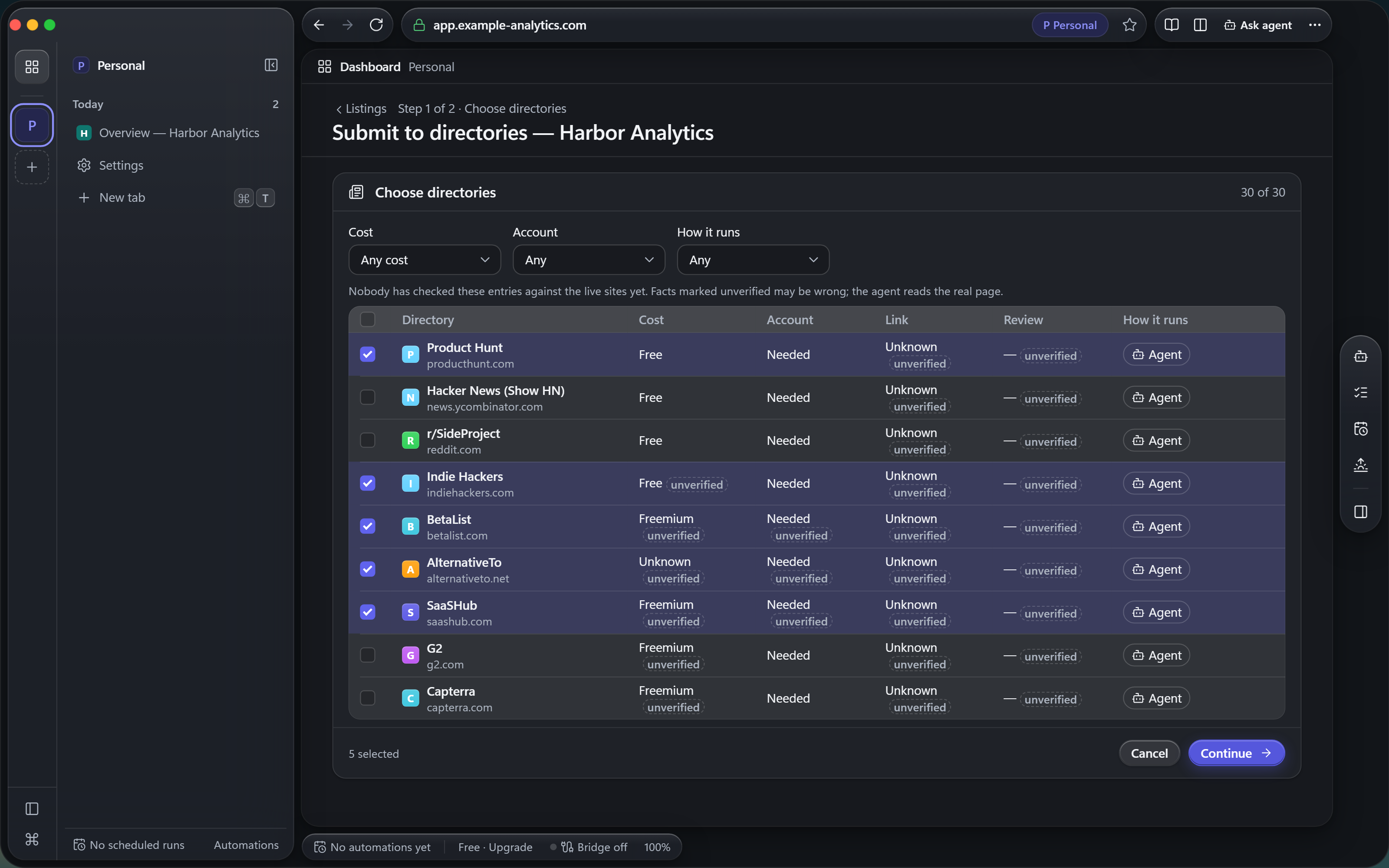
For each directory, an agent signs up with the product's address for that site, confirms the email, fills in the form from the kit, and stops before the final click, so the submission itself is yours. Listings shows where each one stands as the directories reply.
Before vs after
| Task | Before 1.9.0 | With 1.9.0 |
|---|---|---|
| An automation signs in with an emailed code | The run stopped and handed the sign-in to you | The run waits for the email, enters the code and carries on |
| An agent signs up on a site | It used your address, or stopped at the confirmation link | It uses the product's own address for that site and opens the link itself |
| You sign in and the site emails a code | Switch to your mail, find the message, copy, switch back, paste | Click Fill code on the chip |
| A release goes out | Write a post for each forum by hand | The release email drafts them; you approve, edit or drop each one |
| List a product on ten directories | Ten sign-ups, ten confirmation mails, ten forms | One kit, one approval, ten forms filled and waiting for your final click |
Try it
Stoic Browser 1.9.0 is out now: update from the app, or download it from stoicbrowser.com. Switch to the Full interface, open Settings → Mail, add the inbox your sites send their codes to, and the next "we emailed you a code" stops being the point where your automation gives up.