Free
1 saved automation. Scheduled chat prompts and the built-in Ahrefs crawl do not count.
FeaturesAutomations
Chores and numbers
Press Record and use the site as usual: clicks, typing and navigation become steps you can edit. Add variables and tasks, hand the fuzzy part to a coding agent with an Ask agent step, and run it on a schedule in a hidden tab that uses the workspace's logins.
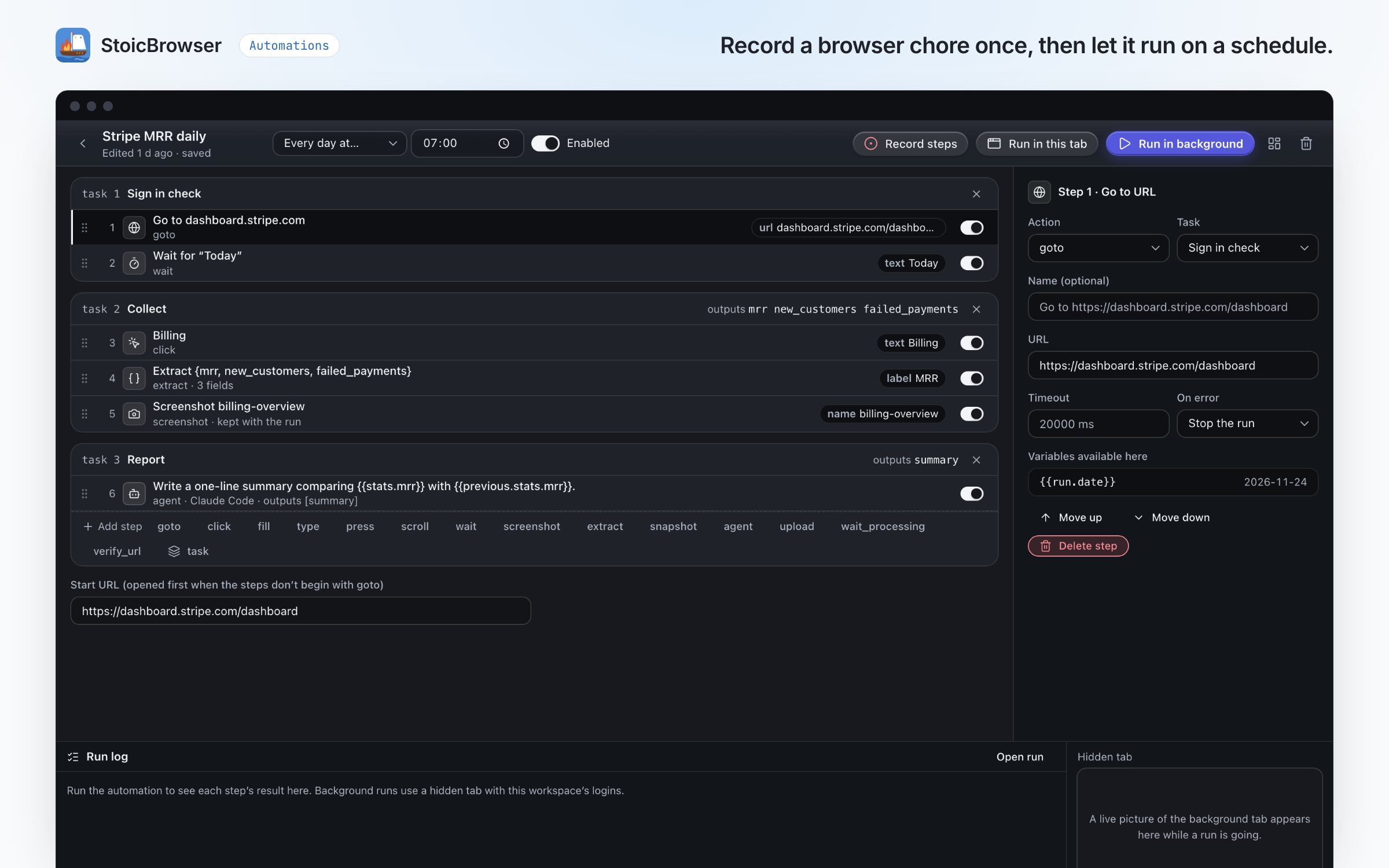
Clicks, typing and navigation become steps. Pause it, or press E for Extract mode and click a number to read it instead of clicking it.
Go to URL, Click, Fill form, Type text, Press key, Scroll, Wait, Screenshot, Extract data, Snapshot, Ask agent, and since 1.6.0 Upload file, Wait for processing and Verify URL.
Split a run into named tasks and reuse values from earlier tasks as {{name.key}}, plus {{run.date}} and friends.
Hand a step a coding agent can handle better than a fixed selector. It drives the pane with browser tools.
Every 15 minutes, hour, 6 hours or 24 hours, or at a fixed time every day or on weekdays.
Run in background uses a hidden tab with the workspace's logins and shows a live picture of it while it runs.
Turn an automation into a small form with its inputs and result.
TaskGo to URLClickFill formType textPress keyScrollWaitScreenshotExtract dataSnapshotAsk agent1 saved automation. Scheduled chat prompts and the built-in Ahrefs crawl do not count.
Unlimited saved automations.
Works on macOS 14 or later, in the system's WebKit engine.
Works on Windows 10 and 11, in WebView2.
Something missing? Write to hello@stoicsoft.com.
No. You record the chore by doing it, then edit steps in a list. Selectors are optional; most steps find elements by label or visible text.
Yes. Since 1.0 you can run it every day or on weekdays at a time you choose, besides every 15 minutes, hour, 6 hours or 24 hours.
Yes. Runs use the workspace's own session, so they are signed in wherever you are signed in.
The run log shows the step that broke and the page it was on, the command center lists it under Needs attention, and Investigate can look into it.
Free for 2 workspaces. No account needed. macOS and Windows.
Download Stoic Browser