Free
Included on Free.
FeaturesSite permissions
Workspaces and sign-ins
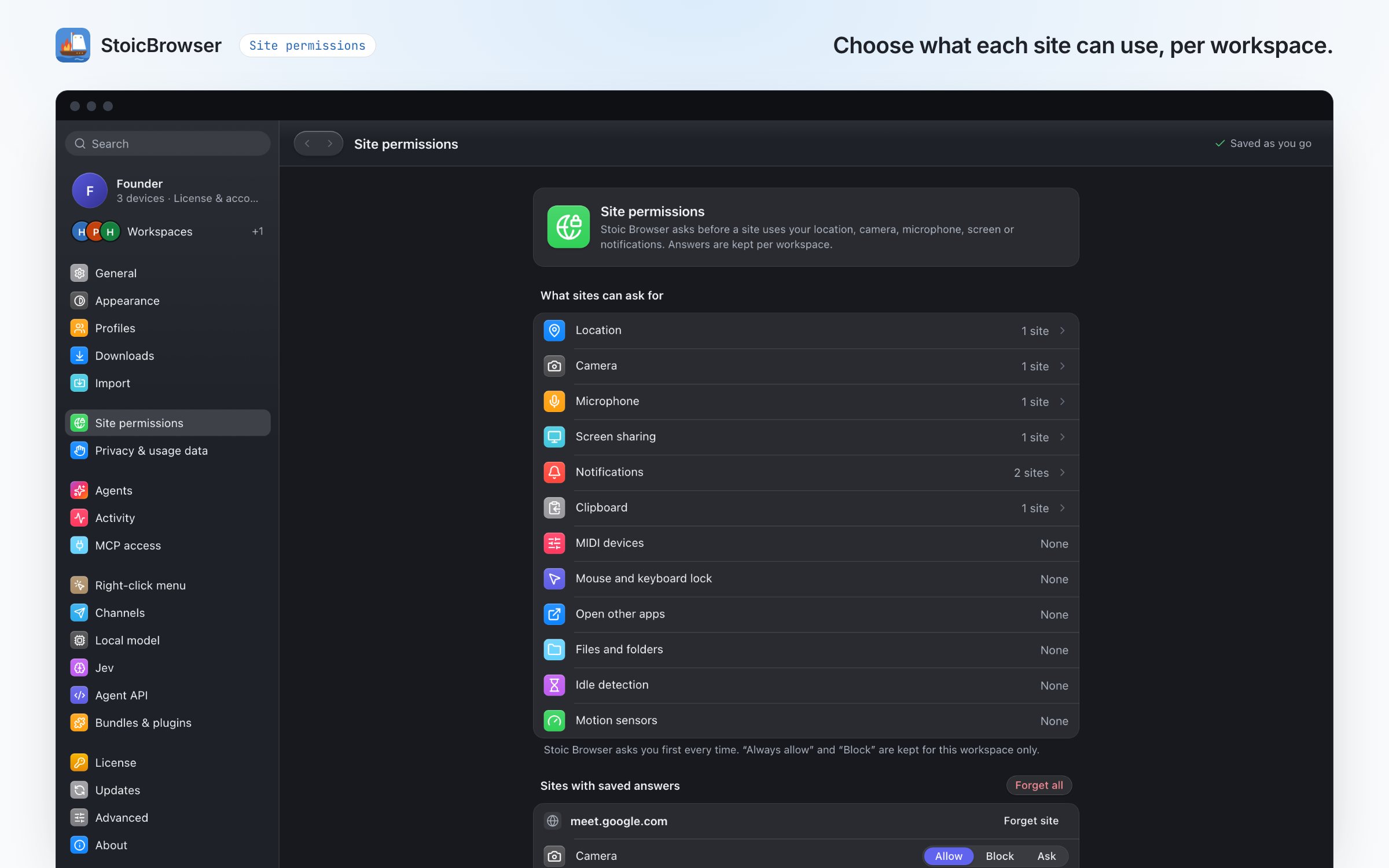
When a page asks for your camera, microphone, location, notifications or clipboard, a bar above that pane names the site and what it wants, with Block, Allow once and Always allow. Answers are saved for that site in that workspace, and Settings → Site permissions lets you change or forget them.
It names the site and the request, such as "wants to use your camera", in the pane that asked.
Block remembers the refusal, Allow once grants this request only, and Always allow remembers the grant. Esc refuses just this once.
An answer applies to that site in that workspace only, so the same site can be allowed in one product and blocked in another.
Settings → Site permissions lists every site with a saved answer and lets you switch it to Allow, Block or Ask, or forget it.
Background and hidden panes, such as scheduled runs, are refused without a prompt.
Included on Free.
The same on Pro.
Camera and microphone requests show the bar; macOS also asks once for the app itself. Location and notifications are decided by macOS and WebKit, and screen sharing uses the system picker. Settings has shortcuts to the macOS privacy panes.
The bar covers location, camera, microphone, notifications, clipboard reading, files and motion sensors. Screen sharing uses the WebView2 picker.
Something missing? Write to hello@stoicsoft.com.
Yes. Choose Always allow on that site's bar. It applies to that site in that workspace only; other sites and other workspaces still ask.
It grants this one request. The site asks again the next time it wants the permission.
Open Settings → Site permissions, find the site and switch the answer to Allow or Ask, or forget it.
Free for 2 workspaces. No account needed. macOS and Windows.
Download Stoic Browser