Free
Coding-agent chat and browser tools are included on Free.
FeaturesAgent chat
Agents in the browser
The agent chat sits next to the page you're on, and every tab keeps its own. Pick Claude Code, Codex or another CLI, mention tabs, files and earlier chats with @, attach a screenshot of the page, and watch the agent use the signed-in workspace while you carry on in another tab.
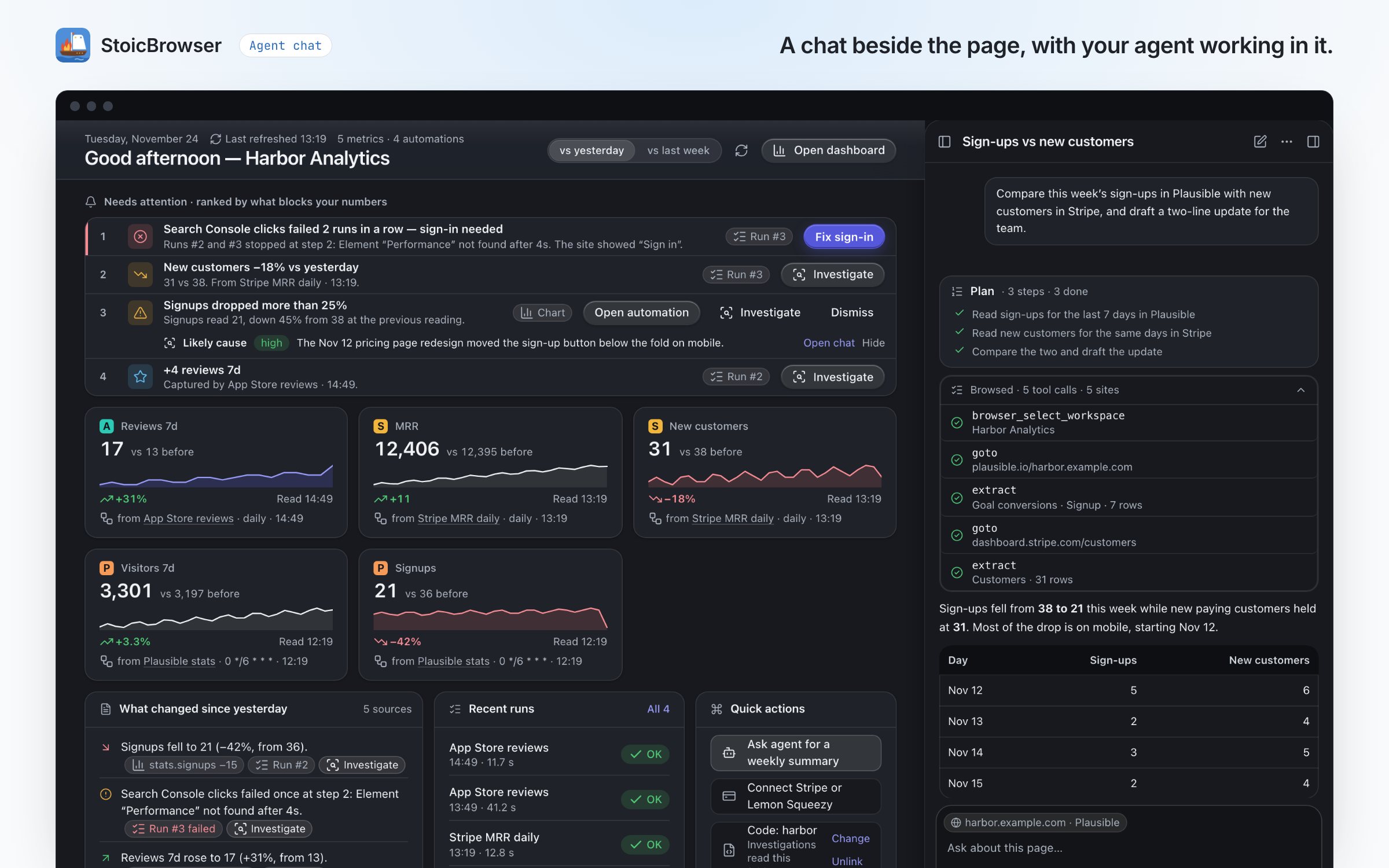
Since 1.8.0 each tab keeps its own chat. A reply keeps running on its tab while you start another chat in the next one, the agent's browser actions stay on its own tab, and the tab is marked until you read the reply.
@-mention open tabs, files and earlier chats, attach files, or attach a screenshot of the active pane.
A ring next to Send fills as the context window does. Click it for Inspect context, which shows exactly what the agent receives next turn, and Trim context, which drops dead-end tool results to save tokens.
A report where every claim cites a page the agent captured. A citation opens the saved page record.
Plan first uses the CLI's plan mode so you review before it acts. Turn it on under More options in the agent picker.
Tokens and cost by day, model and chat, with daily or per-chat limits that can stop new runs.
Save prompts and personas per workspace, and keep a chat temporary when you don't want it stored.
Chat per tabContext ringInspect contextTrim contextDeep researchUsage and budgetsCoding-agent chat and browser tools are included on Free.
The same on Pro. Your CLI's own plan or API key pays for the model.
Every CLI that runs on your Mac.
Every CLI that runs on Windows. Install hints in the picker are per OS.
Something missing? Write to hello@stoicsoft.com.
No. The chat runs the coding CLI you already have, signed in with your own account, or a model on your machine. Stoic Browser doesn't sell AI usage.
Yes, one per tab. Since 1.8.0 a reply keeps running on its tab while you switch to another tab and start a second chat there, and going back shows the first conversation where it is.
Yes. You can @-mention tabs or attach a screenshot of the active pane, and agents with browser tools can read and act on pages in the workspace.
Yes. Usage and budgets tracks tokens and cost by day, model and chat, and daily or per-chat limits can stop new runs.
Free for 2 workspaces. No account needed. macOS and Windows.
Download Stoic Browser