Free
Browser profiles and per-profile proxies are not capped on Free.
FeaturesBrowser profiles
Workspaces and sign-ins · New in 1.3.0
A browser profile is one identity you browse as, like Founder, Support or a client account. It has its own sign-ins and can send its traffic through its own proxy or VPN. Any workspace can use a profile, and several workspaces can share one.
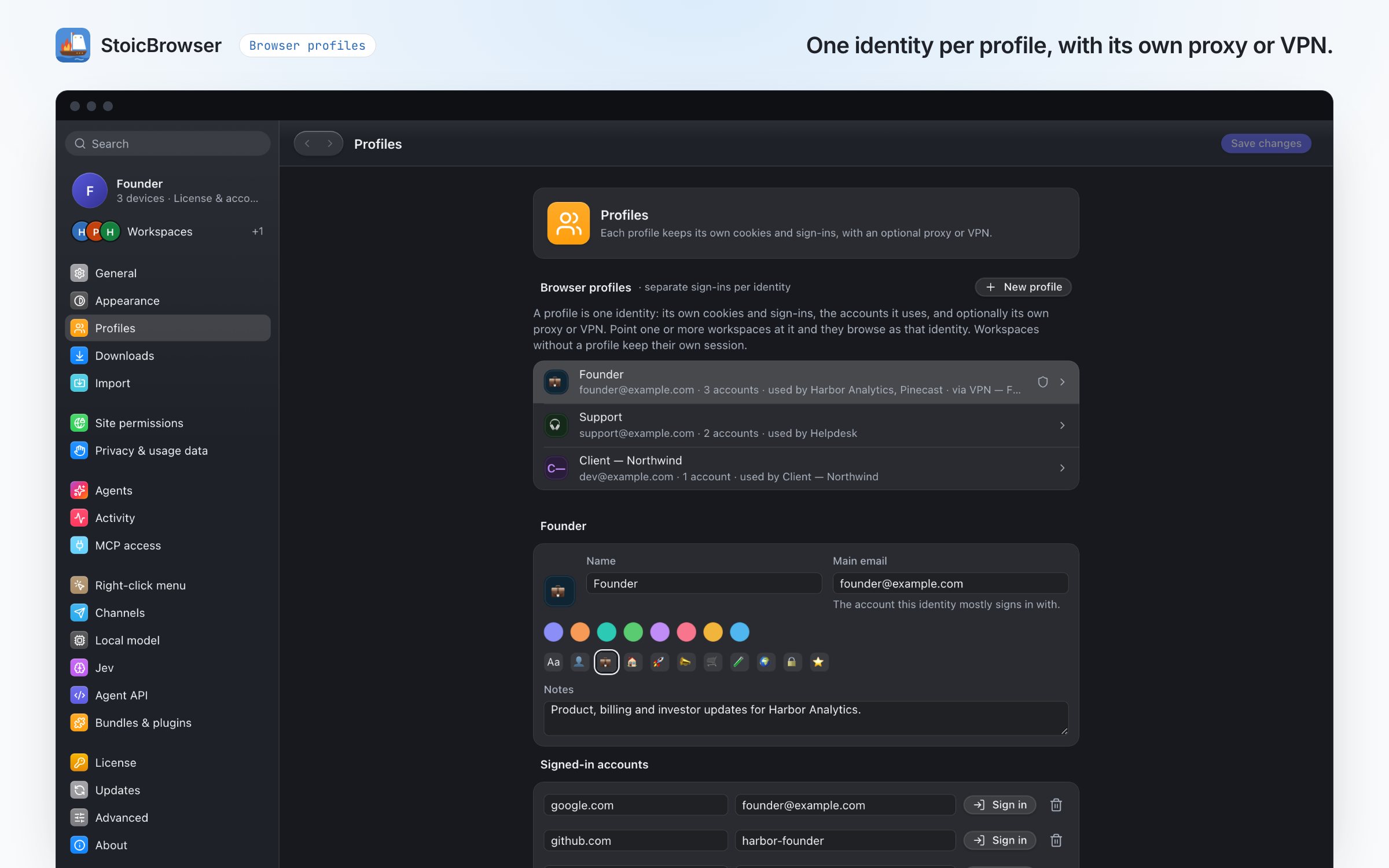
Settings → Profiles holds a name, a badge emoji or initials, the main email, notes and the sites the profile is signed in to.
Each signed-in account has a Sign in button that opens the site in a workspace that uses the profile.
Pick a profile from a workspace's right-click menu under Browser profile. The workspace switches at once and its open tabs reload signed in as that profile.
Turn on "Send this profile's traffic through a proxy" and enter a SOCKS5 or HTTP proxy, such as the one your VPN provider gives you. Only that profile's workspaces use it.
A workspace that leaves a profile gets its own cookies back. Several workspaces can share one profile.
"Sign out of all sites" clears the profile's sign-ins, and "Show data folder" opens where its data lives.
Type: SOCKS5 or HTTPHost and port (1 to 65535)A user name and password, for proxies that ask for one (the password is kept in the system keychain)An optional name, such as "VPN – Frankfurt"Browser profiles and per-profile proxies are not capped on Free.
The same. Pro raises the workspace cap, so more workspaces can use your profiles.
The proxy is set on the profile's WebKit data store, which needs macOS 14 (the app's minimum anyway).
The proxy is passed to the profile's WebView2 environment. Works the same as on a Mac.
Something missing? Write to hello@stoicsoft.com.
A workspace is a product: its tabs, layout, automations and agent chats. A profile is an identity: sign-ins and an optional proxy. A workspace can use a profile, and several workspaces can share the same one.
Yes, if your VPN gives you a SOCKS5 or HTTP proxy address. Enter it on the profile and only that profile's workspaces send their traffic through it. Proxies that need a user name and password work too.
They are kept. If the workspace stops using the profile, its own session and cookies come back.
Free for 2 workspaces. No account needed. macOS and Windows.
Download Stoic Browser