Free
Import is free. Each new workspace it creates counts toward the 2 workspaces on Free.
FeaturesImport from another browser
Workspaces and sign-ins
Import reads the profiles of the browsers on your computer and copies bookmarks, history, cookies, saved passwords and site storage into a workspace. Tick several profiles and each can become its own workspace, so separate sign-ins stay separate.
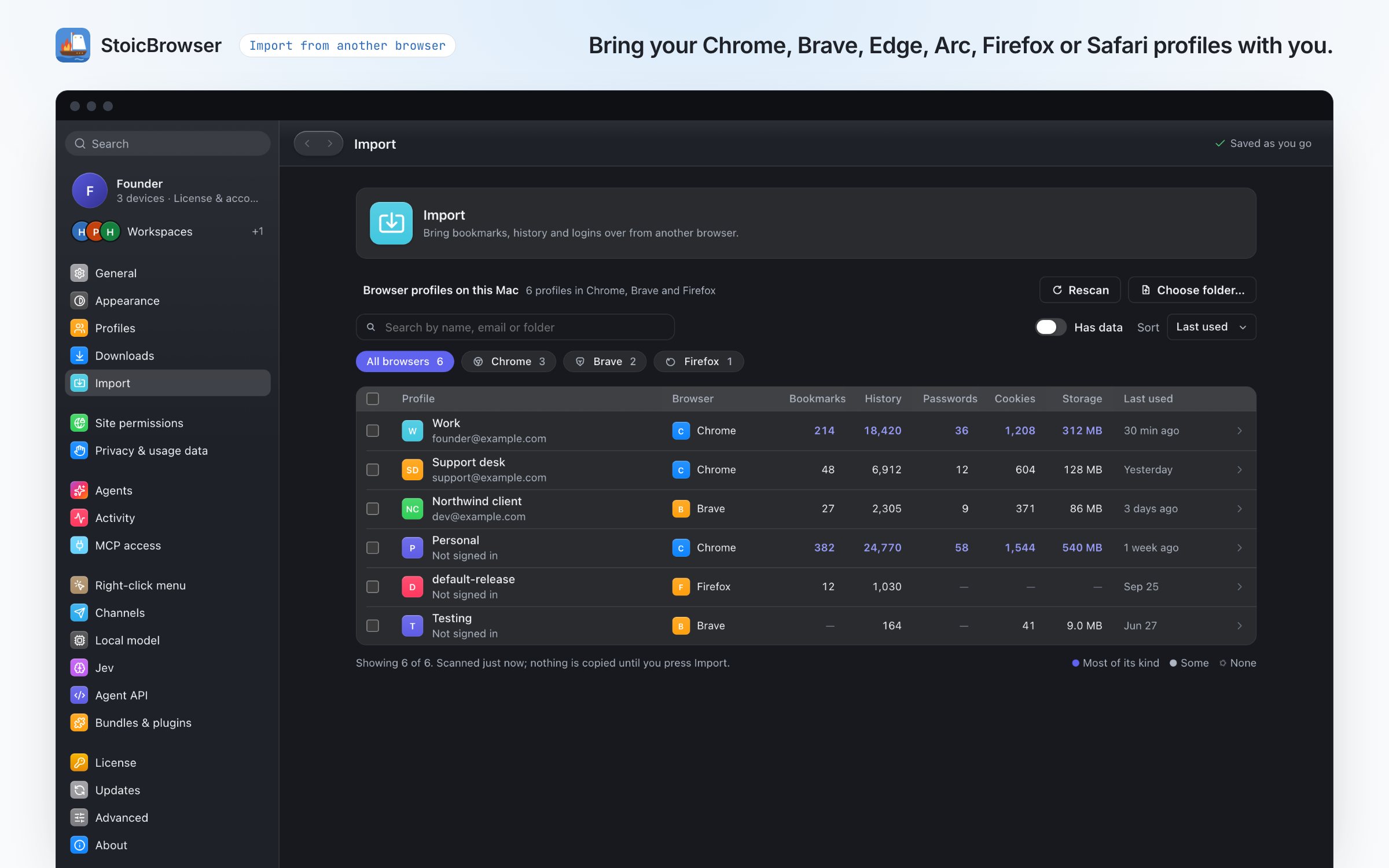
Settings → Import lists the Chrome, Brave, Edge, Arc, Firefox and Safari profiles on this computer in a table, with counts for each kind of data. Sort by any column, filter by browser or search by name, email or folder. Choose folder adds one it missed.
Bookmarks, history, passwords, cookies and site storage, as far as each browser allows. Site storage is opt-in, because it replaces the workspace's own.
Tick profiles, or all, and they import one after another. By default each gets a new workspace named after it.
Send every ticked profile to the same workspace instead. Profiles that fail stay ticked so you can retry them.
Imported passwords fill in on their sites, and pages already open pick them up as soon as the import finishes.
Import is free. Each new workspace it creates counts toward the 2 workspaces on Free.
No workspace cap, so every profile can become its own workspace.
Chrome, Brave, Edge and Arc: bookmarks, history, cookies, passwords and site storage, decrypted with the browser's Safe Storage key from the Keychain. Firefox: bookmarks, history and cookies. Safari: bookmarks and history.
The same browsers and kinds of data. Cookies and passwords use the browser's Windows encryption key; rows Chrome protects with app-bound encryption can't be read outside Chrome and are skipped.
Something missing? Write to hello@stoicsoft.com.
Yes, along with bookmarks and history. On a Mac it reads Chrome's Safe Storage key from the Keychain. On Windows, cookies and passwords Chrome protects with app-bound encryption can't be read outside Chrome, so those rows are skipped.
Yes. Tick the profiles, or all of them, and they import one after another. Each can get its own new workspace, which keeps separate sign-ins apart.
No. Import reads the old browser's profile and copies from it. Nothing in the old browser is changed.
Free for 2 workspaces. No account needed. macOS and Windows.
Download Stoic Browser