Free
Included. Free's 1 saved automation and 1 monitored source cap how many numbers you read.
FeaturesMetric alerts
Chores and numbers · New in 1.2.0
Add an alert to any metric on the dashboard: below or above a value, or a drop or rise of more than a percentage between readings. Stoic Browser checks it every time a new value is read, lists it in Needs attention and shows a system notification.
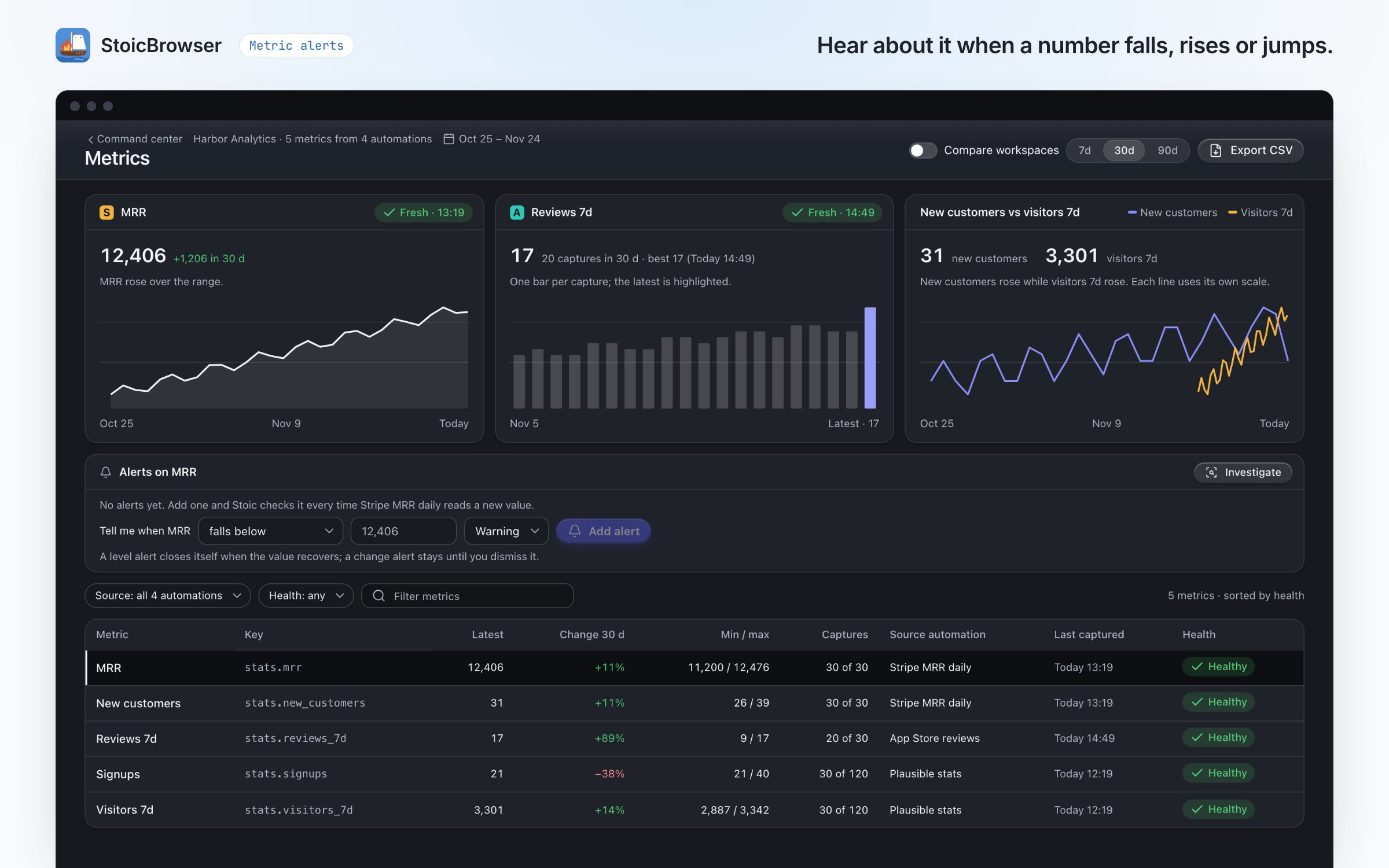
Falls below a value, rises above one, drops by more than a percentage, or rises by more than one, between two readings.
There is no separate polling. Each new value an automation or a Stripe or Lemon Squeezy connector reads is checked against its rules.
In Needs attention on the command center, and as a system notification.
An alert on a level closes on its own when the number recovers.
Each alert has Investigate, which hands the readings to an agent to find out why.
Included. Free's 1 saved automation and 1 monitored source cap how many numbers you read.
Included, with no cap on automations or sources.
Notifications use macOS Notification Center.
Notifications use Windows notifications.
Something missing? Write to hello@stoicsoft.com.
Yes. Connect Stripe or Lemon Squeezy, then add a drop-by-percentage alert of 10 to the MRR metric. It is checked every time MRR is read.
Yes, through an automation: an Extract data step on any signed-in page records the number as a metric, and metrics carry alerts. A saved Crawl Mode extraction keeps its results but does not raise alerts.
An alert stays in Needs attention until it is resolved. One on a level closes itself when the number recovers.
Free for 2 workspaces. No account needed. macOS and Windows.
Download Stoic Browser