Free
Included, with Free's 2 workspaces, 1 monitored source and 1 saved automation.
FeaturesCommand center
Chores and numbers
Each workspace opens on a command center: what needs attention ranked by what blocks your numbers, metric cards with their source and freshness, what changed since yesterday, recent runs and quick actions. All products shows one card per workspace.
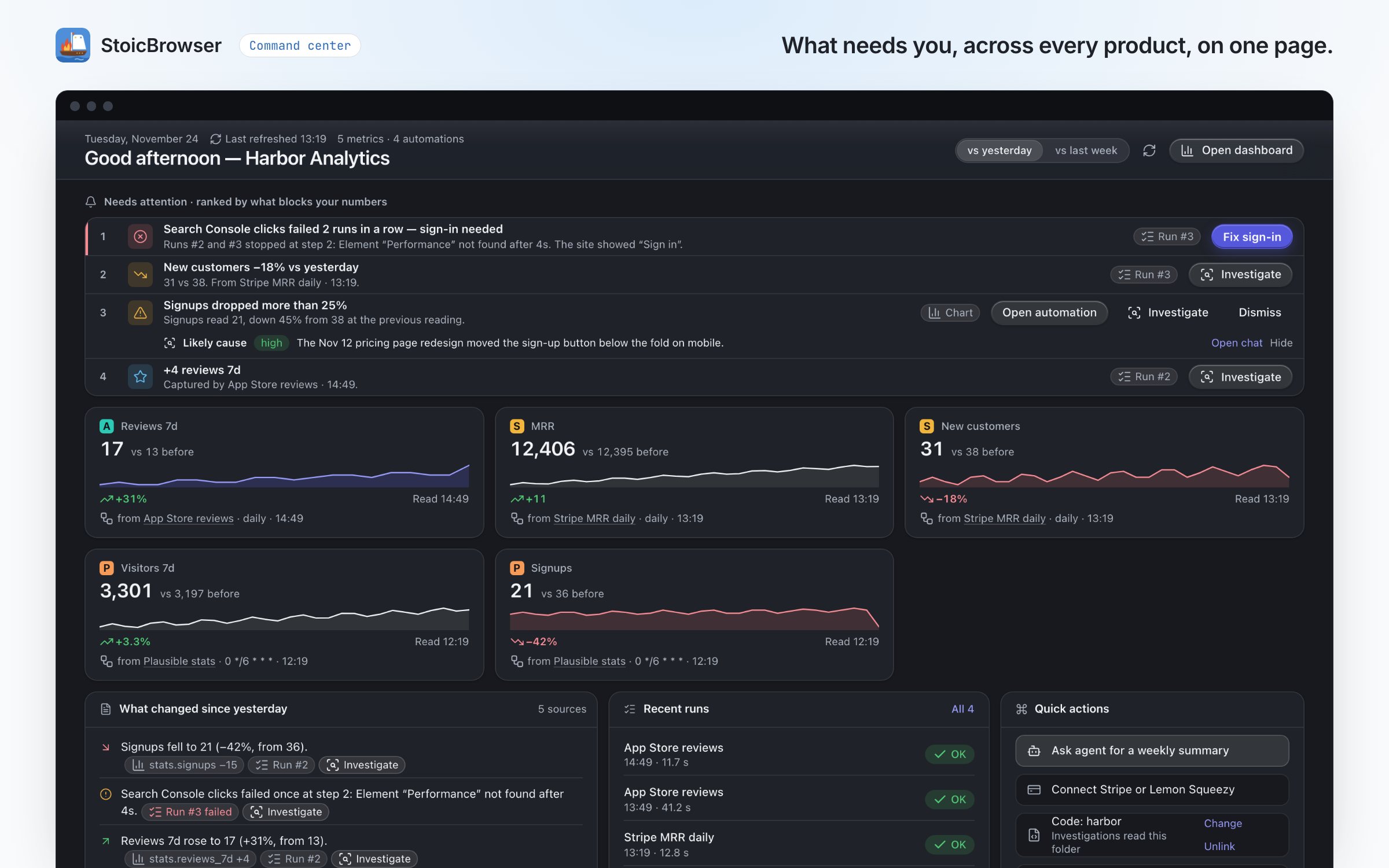
Failed runs, sign-ins that stopped a run and numbers that crossed an alert, ranked by what blocks your numbers.
Each card shows the value, the change, the source that read it and when.
Lines computed from your readings and runs, each linked to its run and to Investigate.
The latest runs with their status, plus Ask agent for a weekly summary, Connect Stripe or Lemon Squeezy and Run all now.
Every metric in a table, Compare workspaces side by side, and Export CSV.
One card per workspace with what needs you. ⌘1 opens it.
Included, with Free's 2 workspaces, 1 monitored source and 1 saved automation.
Included, with no caps on workspaces, sources or automations.
Works on macOS 14 or later.
Works on Windows 10 and 11.
Something missing? Write to hello@stoicsoft.com.
From your monitored sources, automations that extract data, and Stripe or Lemon Squeezy connectors. Each card names its source.
Yes. All products shows one card per workspace, and the dashboard's Compare workspaces switch puts their metrics side by side.
Yes. The dashboard has Export CSV for the metrics table.
Free for 2 workspaces. No account needed. macOS and Windows.
Download Stoic Browser